First run
The first time you open Video Maker (already installed in Applications, see Installation) the app walks you through a setup window before showing you the studio.
-
Downloading what editing needs
The app downloads the models that run on your machine to transcribe, generate voices and render video. It can be interrupted and resumed; the size and sha256 of every file are verified.
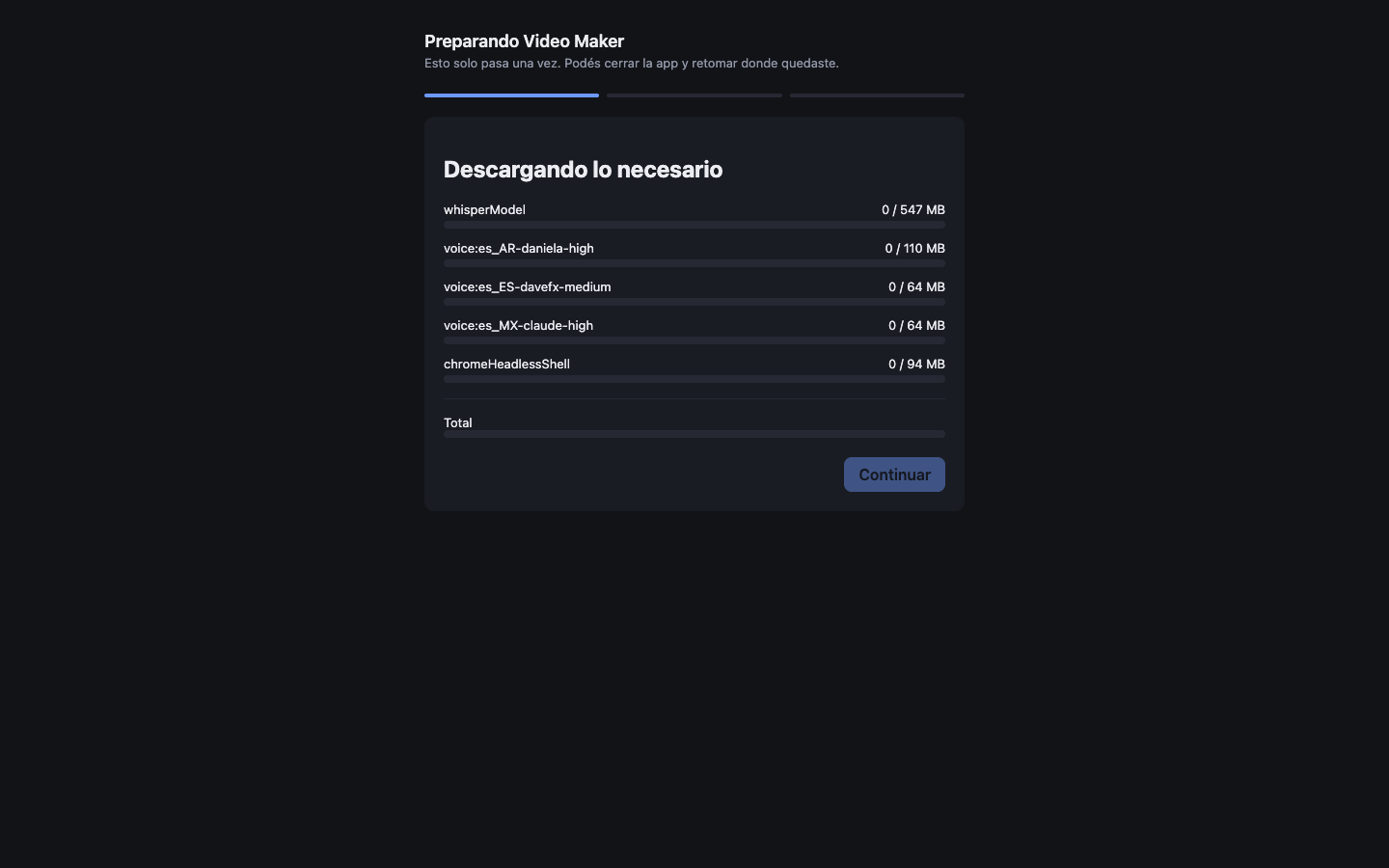
What is downloaded Size Transcription model (whisper) 547 MB Voice es_AR-daniela-high 110 MB Voice es_ES-davefx-medium 64 MB Voice es_MX-claude-high 64 MB Rendering browser (headless Chrome) 94 MB Total ≈879 MB -
Pick your projects folder
Where your videos and their material will live. Keep the one the app suggests or choose any folder with enough space — you can change it later from the menu.
-
Claude check (optional)
The app looks for the
claudeCLI and a signed-in session. If it finds them, it shows that Claude was found and you can use Claude as the producer engine without entering any key. If you do not have it, no problem: use OpenRouter (see Connect the AI) or install Claude Code later.
Without Claude or an OpenRouter key, the producer cannot chat with you — the rest of the app (uploading material, browsing projects) works the same.